How to Get More Google Reviews Without Breaking Google’s Rules
Most happy customers never leave a review. It’s not that they didn’t like the work. They got busy, they forgot, or nobody asked them. So if you want to get more Google reviews, the answer usually isn’t a clever trick. Instead, it’s a simple habit of asking every customer, the right way, at the right time.
Below is how to set that habit up, what Google and the Federal Trade Commission (FTC) don’t allow, and how to reply once the reviews start coming in.
Why Google reviews matter for a local business
Reviews show up right next to your Business Profile in Google Maps and Search. For many people, that’s the first thing they read before they call, book, or visit your website.
Reviews also play a part in where you appear. Google says local results are based mainly on relevance, distance, and prominence. In its own local ranking tips, Google notes that more reviews and positive ratings can help your local ranking. That’s not a promise of a top spot, but it’s a good reason to keep reviews coming in steadily.
Finally, reviews give you something no ad can: real customers describing real experiences, in their own words.
Before you try to get more Google reviews, know the rules
Plenty of well-meaning owners who set out to get more Google reviews end up breaking rules they didn’t know existed. Google’s rules for reviews are stricter than many people expect.
Google’s review policy
According to Google’s Maps content policy, businesses may not:
- Offer incentives, such as payment, discounts, or free goods or services, for posting a review, changing a review, or removing a negative one.
- Discourage negative reviews or ask only happy customers for reviews.
- Require or pressure customers to leave a review while they’re still at your business.
- Ask customers to include specific content, such as a staff member’s name.
- Give staff a quota of reviews to collect.
- Post reviews based on a conflict of interest. Google lists current or former employees and family relationships as examples.
In other words, a “leave us 5 stars and get 10% off” sign breaks the rules. So does asking your cousin to write one. Google removes reviews that violate these policies, and it can place restrictions on a Business Profile.
The FTC rule on fake reviews
Federal law matters here, too. The FTC’s rule on consumer reviews and testimonials took effect on October 21, 2024. Among other things, it bans fake reviews, buying reviews that must express a certain opinion, and using threats or intimidation to get a review removed. Courts can impose civil penalties for knowing violations.
The FTC also notes that marketing agencies and reputation management firms can be liable under the rule. If someone offers to sell you a bundle of reviews, walk away. You can read more in the FTC’s questions and answers about the rule.
How to get more Google reviews the right way
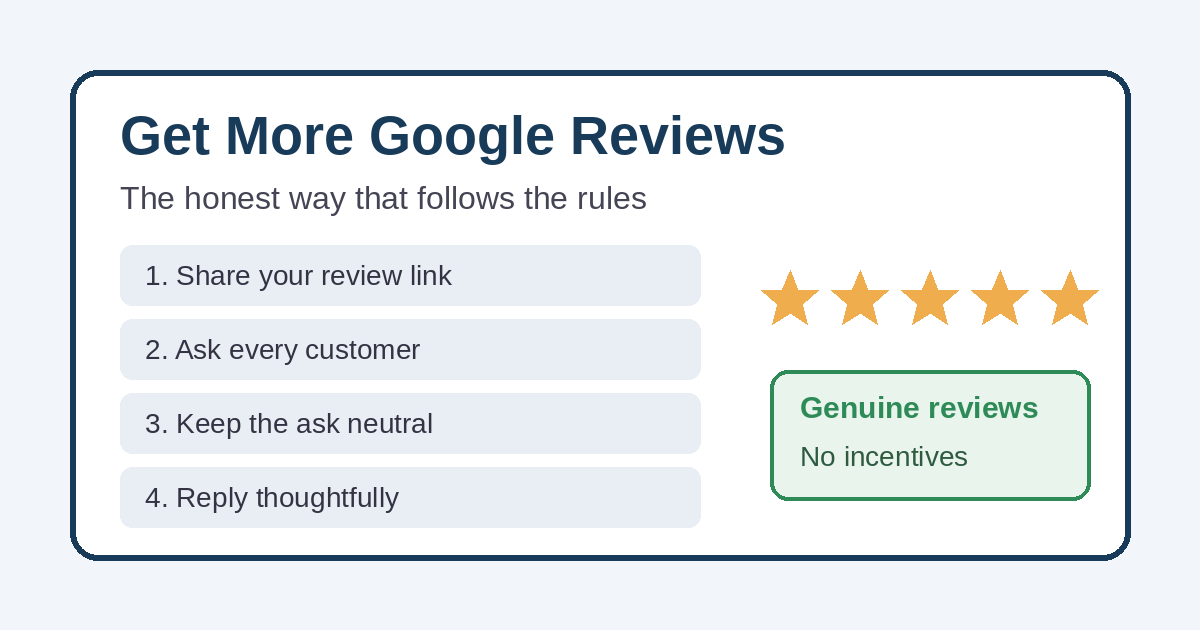
The good news is that Google does want businesses to ask. Its policy allows you to encourage reviews of genuine experiences, as long as you don’t offer incentives or try to influence the rating. Here’s what that looks like in practice.
1. Get your review link and QR code
Google gives every verified business a short link and a QR code that open the review form for your profile. You’ll find the option to ask for reviews in your Business Profile. Before you share it, test it on your own phone so you know it goes to the right listing.
2. Ask at the right moment to get more Google reviews
Timing does a lot of the work when you want to get more Google reviews. The best time to ask is right after the customer has gotten what they came for. For example, a contractor might ask when the job is finished, a shop when a customer picks up an order, and a restaurant when the check is paid.
If someone says “thanks, that was great,” that’s a natural opening. Still, ask everyone, not just the people who seem thrilled. Asking only happy customers is exactly what Google’s policy prohibits.
3. Keep the request short and neutral
You don’t need a script, but a simple message helps. Here’s one example you can adapt:
“Thanks for choosing us. If you have a minute, would you share your experience on Google? Here’s the link. Honest feedback helps us improve, and it helps your neighbors decide.”
Notice what it leaves out. It doesn’t ask for five stars, mention a discount, or tell the customer what to say.
4. Put the link where customers already are
One ask is easy to forget. Several gentle reminders in places customers already look work better. For example:
- Your invoice or receipt email
- A short follow-up text or email a day or two after the job
- Your email signature
- The thank-you page on your website after someone fills out a form
- A small printed card with the QR code that customers can take with them
5. Make it a habit, not a one-time push
A burst of 40 reviews in one week, then nothing for a year, doesn’t help much. In fact, Google’s policy mentions unusual volumes or patterns of reviews as a sign of possible manipulation. A steady habit of asking every customer looks natural, because it is natural. Over a year, that habit is the most reliable way to get more Google reviews.
6. Remove the small obstacles
Customers need a Google account to leave a review. However, Google points out that they can create one with a non-Gmail email address. If a customer says they don’t use Gmail, let them know that’s not a dealbreaker.
Reply to the Google reviews you get
Replying shows future customers how you treat people. Google’s own tips for getting more reviews include replying, and they recommend a few simple habits:
- Keep replies short, polite, and personal. Avoid sending the same “thank you” to everyone.
- Don’t use replies to advertise deals or promotions.
- Reply in a timely way, especially to negative reviews.
Negative reviews deserve extra care. Apologize when it’s appropriate, explain what you can and can’t do, and offer to continue the conversation by phone or email. Never share a customer’s private information or argue in public.
If you believe a review breaks Google’s policies, flag it through Google. Don’t threaten the reviewer. The FTC rule specifically prohibits false accusations and intimidation aimed at getting reviews removed.
Common review mistakes to avoid
Most of these come from good intentions, but they can still cost you reviews or put your profile at risk:
- Review “gating.” Some tools send happy customers to Google and unhappy ones to a private form. That’s selective asking, and Google doesn’t allow it.
- Contests or discounts for reviews. Even a drawing for a gift card counts as an incentive under Google’s policy.
- Buying reviews. This breaks Google’s rules and can violate the FTC rule.
- Asking staff or family. Google treats these as conflict-of-interest reviews.
- Using the wrong link. A broken link or one that points to an old or duplicate listing wastes the customer’s effort.
- Going silent. Reviews that never get a reply make a business look less engaged.
Where your website fits in when you get more Google reviews
When you get more Google reviews, more people will click through to your website. Reviews and your site work together. A person might read your reviews in Google Maps, then tap through to your site before they decide to call. If the site is slow, confusing, or hard to use on a phone, you can lose that customer at the last step. We cover that hand-off in why a website can get visitors but not phone calls.
It also helps when your website and your Google listing tell the same story, with matching hours, services, and contact details. Our guide on keeping your website and Google Business Profile in sync walks through what to check.
Reviews matter most for contractors and home-service businesses, where trust decides who gets the call. It’s a big part of how we approach sites for places like Richmond, Michigan. If you want to keep your profile active between reviews, regular Google Business Profile posts help, too.
Want help to get more Google reviews?
If you’d like to get more Google reviews without the guesswork, we can help. Simplified Internet Design works with St. Clair County and Southeast Michigan businesses to manage their Google Business Profile. That includes setting up an honest review-request routine, adding review links to websites and follow-up emails, and writing thoughtful replies. To start, reach out to our team and we’ll look at where your reviews stand today.