Why Is My WordPress Website Slow? What to Fix First
A customer searches for your service, taps your website, and waits. The screen stays white for a few seconds, so they go back to Google and call the next business on the list. You never hear about it.
A slow WordPress website rarely announces itself. You visit your own site all the time, so your browser has most of it saved, and it feels fine to you. New visitors on a phone don’t get that head start. This guide shows how to test your site honestly, explains the usual causes, and lays out what to fix first.
First, check whether your site is actually slow
Before changing anything, get a fair reading. A few quick checks will tell you whether you have a real problem:
- Use your phone, not office Wi-Fi. Turn off Wi-Fi, open a private browser tab, and load your homepage and your most important service page. Count how long it takes before you can read and tap something.
- Run Google’s free test. Paste the same pages into PageSpeed Insights. If it shows data from real visitors, start there. The lab score underneath is a diagnosis, not a grade.
- Check Search Console. If your site is connected, the Core Web Vitals report groups your pages into good, needs improvement, and poor. Our plain-English guide to Google Search Console explains how to find it.
Google’s Core Web Vitals give you useful targets. The main content should appear within 2.5 seconds. The page should react to a tap in 200 milliseconds or less. Also, things shouldn’t jump around while the page loads. You don’t need a perfect score of 100. You need a site that feels quick to a stranger on a phone.
Common reasons a WordPress website is slow
Most slow sites have two or three of these problems at once. That’s good news, because a few fixes often make a big difference.
Oversized images
This is one of the most common causes of a slow WordPress website. A photo straight from a phone or camera can be several megabytes, even when it shows up as a small box on the page. As a result, the visitor downloads the full file anyway. Resizing images to the size they actually display, compressing them, and using a modern format such as WebP usually helps right away.
Plugins that load on every page
The number of plugins matters less than what each one loads. A slider, a social media feed, a chat widget, or a form plugin may add scripts to every page, even where it isn’t used. Plugins you’ve switched off but never deleted also add clutter and security risk.
A heavy theme or page builder
Many all-purpose themes come packed with features for every kind of business. Your site may be loading animations, fonts, and layout code it never uses. Some page builders add a lot of extra code to every section as well.
Hosting that can’t keep up
If the server is slow to respond, nothing else on the page can start. Very cheap shared hosting puts many sites on one server, and an outdated PHP version (the language WordPress runs on) slows things down too. If you’re not sure what your plan covers, read what website hosting actually includes.
No caching
Without caching, WordPress builds each page from scratch for every visitor. Page caching saves a ready-made copy and hands it out instead. Many hosts offer this at the server level; otherwise, a single well-configured caching plugin can do it.
Outside scripts and embeds
Tracking codes, embedded maps, YouTube videos, review widgets, and web fonts all load from other companies’ servers. Each one adds a little delay. Together, they can add a lot.
Years of buildup
Older sites collect outdated plugins, thousands of saved revisions, spam comments, and leftover data from tools that were removed long ago. None of it helps your visitors, and some of it slows the site down.
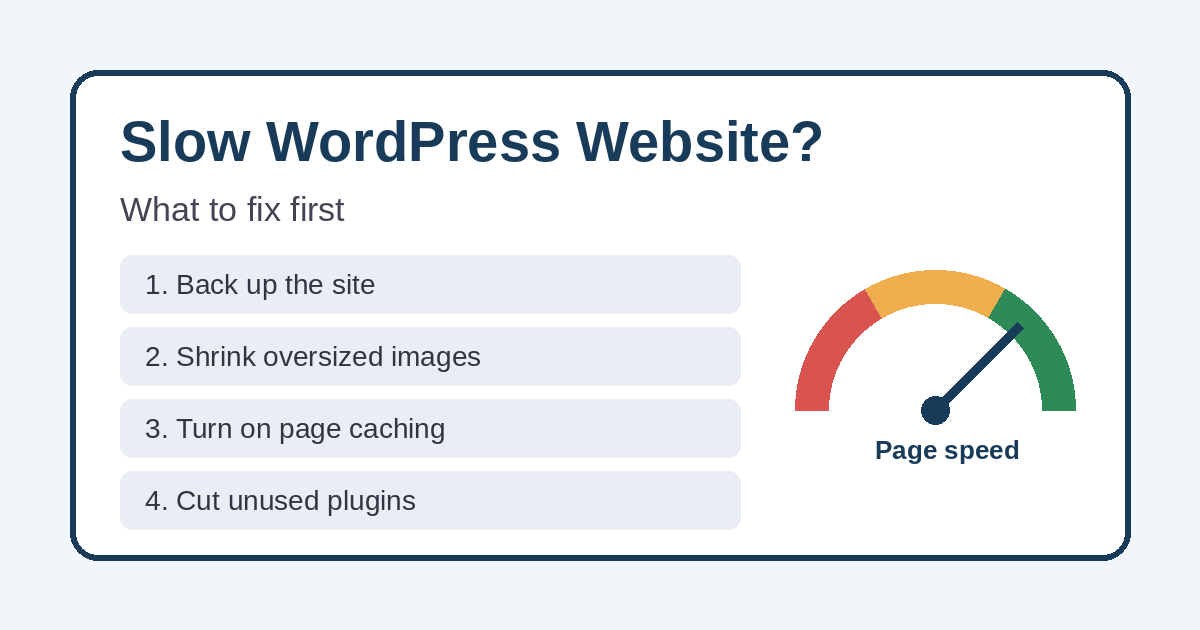
What to fix first on a slow WordPress website
Work in this order. The early steps are low risk and often fix most of the problem.
- Make a full backup. Do this before you touch anything, and make sure you know how to restore it.
- Fix the biggest images on your homepage and top service pages first.
- Turn on page caching. Use one caching tool, not two, because overlapping tools can conflict.
- Delete plugins you don’t use, and question the ones that load on every page.
- Update WordPress, your theme, and your plugins. Then ask your host which PHP version the site runs on.
- Trim outside scripts. Remove old tracking codes and widgets nobody looks at.
- Look at hosting if the server is still slow to respond after the steps above.
- Consider a rebuild if the theme or page builder is the real problem. Our list of signs your website needs a redesign can help you decide.
Mistakes that make speed problems worse
- Stacking optimization plugins. Two caching or “speed” plugins often fight each other and can break the site.
- Chasing a perfect score. A green number means little if the site still feels sluggish on a phone.
- Forgetting to test what matters. Some speed settings can break menus, contact forms, or tap-to-call buttons. After every change, submit a test form and tap your phone number.
- Making changes without a backup. If something goes wrong, you want a quick way back. If it’s already too late, here’s what to do when your website crashes.
Speed is only part of getting calls
A fast site still has to make the next step obvious. If your phone number is hard to find or your service pages are vague, visitors may leave anyway. For the rest of that picture, see why a website gets traffic but not phone calls.
When to get help
If you’ve tried the basics and your WordPress website is still slow, or you’d rather not experiment on the site your customers use, it may be time for a second set of eyes. Simplified Internet Design handles WordPress speed tuning, hosting, and ongoing maintenance for small businesses in St. Clair County and across Southeast Michigan. You can see how we approach new builds on our website design services page.
Want to know what’s slowing your site down? Get in touch and tell us which pages matter most to your business.