What Are Negative Keywords in Google Ads?
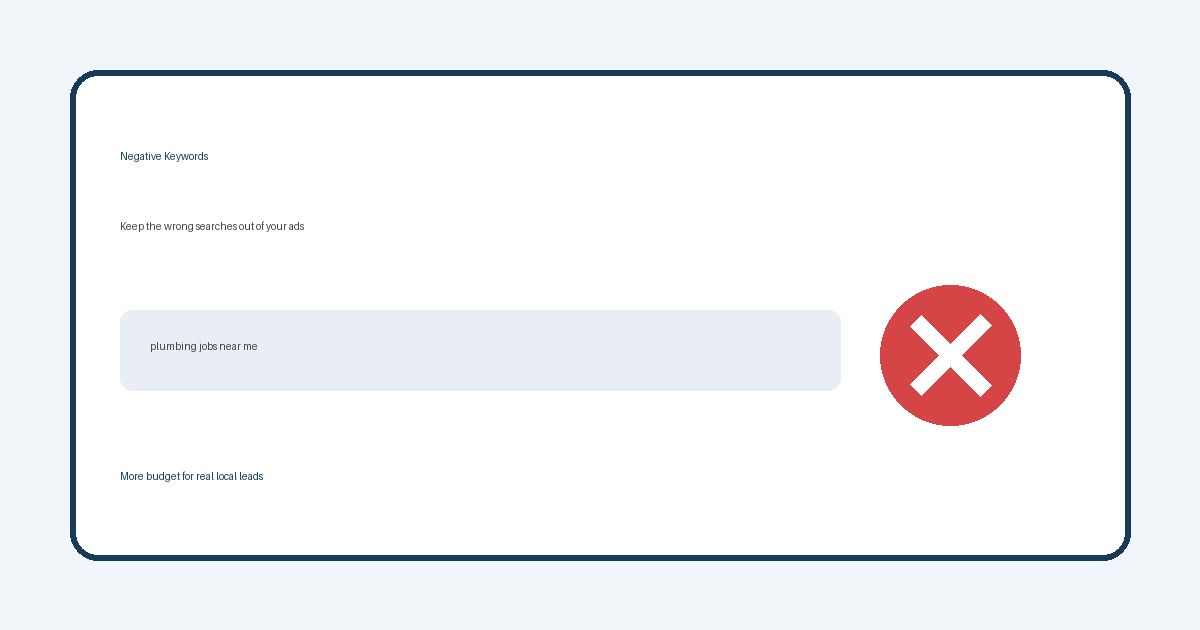
If you have ever looked at a Google Ads report and wondered why your plumbing company showed up for “plumbing jobs near me” or “DIY faucet repair,” you have already met the problem negative keywords are meant to solve.
Negative keywords tell Google which searches should not trigger your ads. Used well, they keep your budget on people who are closer to hiring you — and off people who are researching, shopping for free tips, or looking for something you do not offer.
What negative keywords actually do
A regular keyword says, “Show my ad when this search is a good match.” A negative keyword says the opposite: “Do not show my ad when this word or phrase is in the search.”
You can add negatives at the campaign or ad-group level. Broad, phrase, and exact match types still matter, but the job is simpler than it sounds: block the searches that burn money without bringing a real lead.
Negative keywords do not improve your Quality Score by themselves. They improve efficiency by removing irrelevant clicks so more of your spend reaches the right people.
Why local businesses waste money without negative keywords
Local service ads attract a wide mix of searches. Someone typing “HVAC repair Port Huron” may be ready to call. Someone typing “HVAC repair salary” or “HVAC repair DIY” is usually not. Without negatives, Google can still match your ad to those weaker intents — especially if your keyword list is broad.
Common waste buckets for St. Clair County and Southeast Michigan service businesses include:
- Job seekers — words like jobs, hiring, career, resume, salary
- DIY and free info — diy, how to, free, tutorial, template
- Wrong service or product — brands or services you do not sell
- Wrong geography — distant cities you do not serve (when not using strict location settings alone)
- Wholesale or wholesale-adjacent intent — wholesale, bulk, distributor (when you only sell retail or local service)
A click is not a lead. Negative keywords are one of the fastest ways to stop paying for the wrong clicks.
How to find negative keywords
Start with the Search terms report in Google Ads. Look at the actual queries that triggered your ads — not just the keywords you chose. Sort by cost or clicks and ask: would I want to pay for this search again?
When a term is clearly wrong, add it as a negative. When a term is close but soft (for example “best HVAC companies” vs “emergency HVAC repair”), decide based on your goals. Informational searches can be useful later in a funnel, but many local owners want calls this week — so they negative out research-heavy phrases early.
Review the report regularly. New waste shows up as you expand keywords, launch new ads, or as seasonal searches appear.
Match types without the jargon overload
You do not need to memorize every Google Ads rule to use negatives well. A practical approach:
- Use a phrase or exact negative when you want to block a specific idea without wiping out useful related searches.
- Be careful with broad negatives that include short words also found in good searches (for example, blocking “free” is often smart; blocking a single common word that appears in real service queries can over-block).
- Keep a shared negative list for junk that never belongs on any campaign (jobs, diy, free PDF, and similar), then add campaign-specific negatives for services you do not offer.
If you are unsure whether a negative will cut a good lead path, leave it off until you see the search term again with real cost behind it.
Negative keywords work better with a good landing page
Negatives protect your budget. Your website still has to convert the traffic you keep. If the click lands on a slow page, a buried phone number, or a form that never reaches you, you will still feel like ads “do not work.”
Pair cleaner targeting with a site that makes the next step obvious. Our guide on why websites fail to generate phone calls covers the usual conversion gaps. For campaign setup and ongoing management, see our Google and Facebook advertising management services. If the destination page itself needs a clearer layout or stronger call-to-action, our website design services focus on pages built to convert.
A simple weekly habit
Once a week (or after any spend spike), open Search terms, mark the junk, add negatives, and note anything that looks like a new service opportunity worth its own ad group. That habit usually saves more money than rewriting ad copy alone.
If you serve customers across St. Clair County, you can also check how your service pages and Service Areas align with the towns you actually target in ads — so the message on the click matches the message on the page.
Talk through Google Ads cleanup
If your ads feel expensive and the calls are thin, negative keywords are often part of the fix — along with location settings, ad group structure, and the page behind the click. Call 810-637-1849 or use our contact form to review your account and landing pages with Simplified Internet Design.