
What Are You Actually Paying For? A Website and Marketing Costs Checkup
Many small businesses pay three or four different companies to keep their website and marketing running. There’s a hosting bill, a domain renewal, an email subscription, a web person, maybe an SEO company, and an agency running Google Ads. Each charge looks reasonable on its own. Put together, though, those website and marketing costs make it hard to say what you’re actually paying for.
This checkup walks you through your website and marketing costs one line at a time. The goal isn’t to find the cheapest option. It’s to make sure every bill covers something real, nothing is paid for twice, and you own the accounts your business depends on.
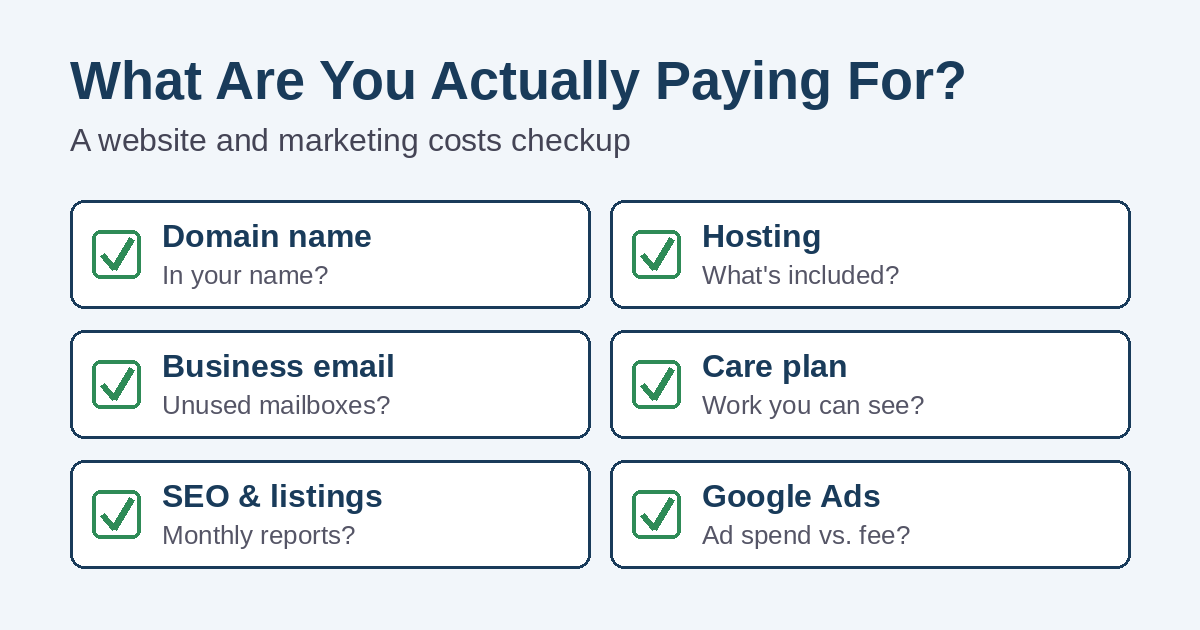
Why website and marketing costs get hard to track
Very few businesses plan their online costs all at once. Instead, they pile up over the years. A relative registers the domain. Later, a designer builds the site and recommends a host. Then an agency sells a marketing package, and a few plugins start renewing on a credit card nobody checks.
Meanwhile, some charges are monthly and others are yearly, so they’re easy to forget. Bundled packages add to the confusion, because one invoice can hide several separate services. As a result, many owners simply keep paying because canceling the wrong thing feels risky.
Step one: list every charge in one place
Start with your last 12 months of credit card and bank statements. Twelve months matters, because domain names, plugin licenses, and some hosting plans renew only once a year.
For each charge, write down:
- The company name and the amount
- How often it bills (monthly, yearly, or every few years)
- What you believe it covers
- Whose name and email the account is under
- Whether you have your own login
- The next renewal date
Don’t worry if the “what it covers” column has question marks. Those question marks are exactly what this checkup is meant to clear up.
The usual website and marketing line items
Here’s what most businesses find on their list. Next to each one is what you should reasonably expect it to cover.
Domain name
Your domain is your web address, and it usually renews every year. Above all, it should be registered in your business’s name, not your web designer’s or a former employee’s. ICANN, the organization that oversees domain names, lists the rights and responsibilities of domain owners, including clear pricing information from your registrar. If someone else holds your domain, they also control your website address and, often, your email.
Website hosting costs
Hosting is where your website files live. Some plans are bare-bones storage. Others include backups, security, updates, and support. If you’re not sure which kind you have, our guide to what website hosting actually includes explains the difference.
Business email
Email is often a separate bill from hosting, and it’s usually charged per mailbox. So check for mailboxes that belong to people who no longer work for you. Also check whether you’re paying for email in two places, such as your host and a separate email service.
SSL certificate
The certificate is what makes your site load over HTTPS with a padlock. Many hosts now include one, often through Let’s Encrypt, a nonprofit that issues certificates for free. If you’re paying extra for one, ask what you’re getting that the free version doesn’t give you. And if your site shows a browser warning, read why your website might say “Not Secure”.
Website care plan costs
A care plan should mean real work: software and plugin updates, backups you can restore, security monitoring, and small content changes. Therefore, ask what was actually done last month. A good provider can tell you without digging.
Themes, plugins, and builder subscriptions
Premium WordPress themes and plugins often renew yearly. Website builders charge monthly. Look for licenses tied to features you no longer use, and for an old builder subscription that’s still billing after you moved to a new site.
SEO and local listings
For an SEO retainer, you should be able to see what work happens each month and how your search visibility is changing. Be careful with any charge that’s only for your Google listing. According to Google, creating a Business Profile and listing your business on Google is free. You might still pay someone to manage it well, but you should know that’s what the fee covers.
Google Ads: ad spend vs. management fee
With Google Ads, you’re really paying two things. First, there’s the money Google charges for clicks. Second, there’s whatever an agency charges to manage the account. Google’s transparency rules for third-party partners require agencies to disclose management fees in writing and to give you your account’s customer ID when you ask. When an agency reports your Google costs, it must also show the exact amount Google charged, separate from its own fees.
If your invoice is one “all-in” number, ask how much of it reached Google. That figure tells you how much advertising you’re actually buying.
Social media management
If you pay for social posting, ask how many posts go out, who writes them, and whether anyone answers comments and messages. Then look at your pages yourself to confirm the work is happening.
Where overlap and waste usually hide
Once all your website and marketing costs are on one list, a few patterns tend to jump out:
- Two hosting accounts. The site moved, but nobody canceled the old host.
- Backups bought three times. Your host, a plugin, and a care plan may all claim to back up the same site. That’s fine if it’s on purpose, but you should know which one you’d actually restore from.
- Security add-ons that repeat each other. Hosts often upsell scanning tools that duplicate what your care plan already covers.
- Email seats for former staff. These quietly renew every month.
- Retainers with no reports. If you can’t see the work, you can’t judge it.
- Two vendors doing the same job. For example, your web person and your SEO company might both be editing page titles, sometimes undoing each other’s work.
Questions to ask every vendor
You don’t need technical knowledge to get clear answers. Send each vendor these questions:
- What exactly do I get each month or year for this charge?
- Can you show me a record of the work you did recently?
- Is the account in my business’s name, and do I have my own administrator login?
- When does this renew, and will the price change?
- If I leave, what do I keep, and how do you hand it over?
- Does anything you do overlap with another company I pay?
A good vendor will be glad you asked. On the other hand, vague answers or reluctance to share logins are worth paying attention to.
Ownership matters as much as price
The cheapest bill in the world doesn’t help if a vendor walks away with your accounts. Your business should own its domain, hosting account, Google Business Profile, Google Ads account, and analytics. Vendors can be added as users or managers. That way, you can change providers without starting over.
Google Search Console belongs on that list too. Our plain-English guide to Google Search Console explains how to set it up so you can see your search data yourself.
Measure your website and marketing costs against results
After you know what each bill covers, ask the bigger question: is it bringing in business? Clicks, posts, and rankings are useful signs, but phone calls, form requests, and new customers are what pay the bills.
If traffic is up but the phone isn’t ringing, the problem may be the website itself. In that case, read why your website might not be generating phone calls. And if your ad budget seems to disappear without leads, our article on negative keywords in Google Ads covers one of the most common leaks.
When cutting website and marketing costs backfires
Finding a charge you don’t understand doesn’t mean you should cancel it today. A few mistakes can cost far more than they save:
- Canceling hosting before moving the site. Make sure you have a full copy of your website first.
- Letting the domain expire. Your website and your email can stop working at the same time.
- Dropping backups to save a few dollars. You won’t miss them until the day you need one.
- Switching off ads without a plan. Calls can drop right away, so adjust gradually and watch the results.
Want a second look at your website and marketing costs?
At Simplified Internet Design, we help businesses in St. Clair County and across Southeast Michigan make sense of the pieces behind their online presence. We can review your list, explain what each charge covers, point out overlap, and make sure the important accounts are in your name.
We also handle website design and care, hosting, and Google and Facebook ad management, so you can work with one local team if that makes more sense for you. Contact us with your list of vendors, and we’ll give you a straight answer about what you’re paying for.