How to Redesign Your Website Without Losing Google Traffic
A new website is supposed to bring in more business. Sometimes the opposite happens: the new site launches, it looks great, and a few weeks later the phone is quieter and Google traffic has dropped. The design usually isn’t the problem. The problem is what happened to the old pages. This guide explains how to plan a redesign without losing Google traffic, in plain English, so you know what to ask for before anyone flips the switch.
Redesign without losing Google traffic: what is at risk
Google doesn’t rank your business as a whole. It ranks individual pages, each at its own web address (URL). Over the years, some of your old pages may have earned a spot in search results, links from other websites, and bookmarks from regular customers.
When a new site goes live, those addresses often change. A page that lived at /services.html might become /website-design/. If nobody tells Google, people who click the old result land on a “page not found” error. Google eventually drops the dead page, and the ranking it had earned goes with it.
The fix is not complicated, but it has to be planned before launch, not after.
Step 1: Make a list of the pages you already have
Before anything gets deleted, write down every page on the current site and note which ones actually matter. Good places to look:
- Your current sitemap (often at yoursite.com/sitemap.xml or /sitemap_index.xml)
- The Performance report in Google Search Console, which shows which pages get impressions and clicks
- Your analytics, for the pages people visit most
- PDFs, menus, forms and images that customers or other sites link to directly
Google’s own site move guide recommends starting with your most important URLs, and it also reminds owners to include images and downloads in the plan. A forgotten PDF price list or event flyer can quietly break dozens of links.
Step 2: Match every old page to a new one
Next, make a simple two-column list: old address on the left, the best new address on the right. This is called a redirect map. A spreadsheet works fine.
Some pages will line up neatly. Others will be merged, renamed or retired. A few rules of thumb:
- Send each old page to the new page that answers the same question.
- If three old pages are combined into one, all three can point to the combined page.
- Don’t point everything at the home page. Google says this can confuse visitors and may be treated like a missing page anyway.
- If something is truly gone with no replacement, it’s fine to let it show a proper “not found” page.
Step 3: Set up permanent (301) redirects
A 301 redirect is an instruction on the server that says “this page has moved here for good.” Visitors and Google are forwarded to the new address automatically. According to Google, permanent redirects don’t cause a loss in ranking credit, so a properly redirected page can carry its history with it.
On a WordPress website, redirects are usually handled by a plugin or in the server settings. A few details matter:
- Point each redirect straight to the final page. Avoid chains where page A goes to B, then B goes to C.
- Keep the redirects in place for at least a year. Google recommends “as long as possible,” and many sites simply leave them forever.
- Test them after launch. Type in a handful of old addresses and make sure each one lands on the right page.
Step 4: Don’t lose the content that ranked
A redesign is a good time to tighten up wording, even when you redesign without losing Google traffic. Still, be careful about cutting the text that earned your rankings in the first place. If your old services page explained what you do, where you work and what it costs to get started, and the new one is a single headline over a photo, Google has much less to work with.
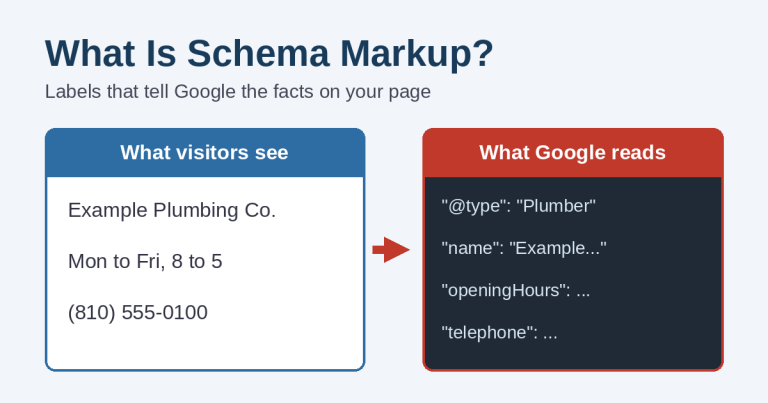
Before launch, compare the old and new versions of your top pages. Keep page titles, headings and the useful details. Carry over your schema markup and SEO settings too, so search engines still get the same business information.
Step 5: Check the launch-day settings
Many new sites are built on a hidden development copy that’s set to block search engines. That’s normal while the site is unfinished. The trouble starts when the block goes live with the new site.
On launch day, check these items:
- In WordPress, make sure “Discourage search engines from indexing this site” is unchecked (Settings, then Reading).
- Confirm the site loads on HTTPS with no “Not Secure” warning.
- Submit the new sitemap in Google Search Console.
- Make sure the Search Console verification and analytics tracking still work on the new site.
- Fill out and send every form to make sure messages actually arrive. If they don’t, our contact form troubleshooting guide covers the usual causes.
- Tap the phone number on a phone and make sure it calls.
Step 6: Update the links you control
Redirects catch old links, but it’s better to update the ones you can. Change the website link on your Google Business Profile, Facebook page, directory listings, email signatures and any ads. If you run Google Ads, check that every ad points to a live page and not a redirect or an error. It’s also a good moment to confirm your website and Google Business Profile still match on hours, services and phone number.
What to expect in the first few weeks
Some movement in search results right after launch is normal. Google has to revisit the old and new addresses and connect the two. Google says a small to medium-sized site can take a few weeks for most pages to move over.
During that time, check Search Console about once a week. Look for a jump in “Not found” errors and for important pages that aren’t being indexed. A short dip that recovers is expected. A steady slide usually points to missing redirects, a blocked page, or content that was cut too deep.
Change one big thing at a time
If you’re also switching domain names or moving to a new host, Google suggests doing those changes one at a time rather than all at once. That way, if traffic drops, it’s much easier to tell what caused it. A domain change also needs a Change of Address request in Search Console.
Questions to ask before you approve a redesign
Whoever builds your new site, these questions help you redesign without losing Google traffic you already have:
- Will you make a list of my current pages before building the new site?
- Who sets up the 301 redirects, and will I get a copy of the redirect map?
- Which of my current pages get the most search traffic, and how will that content carry over?
- Will you check that search engines are allowed to index the site on launch day?
- Who submits the new sitemap and watches Search Console after launch?
- What happens if traffic drops in the first month?
If the answers are vague, that’s worth noticing before the old site comes down.
Planning a new website?
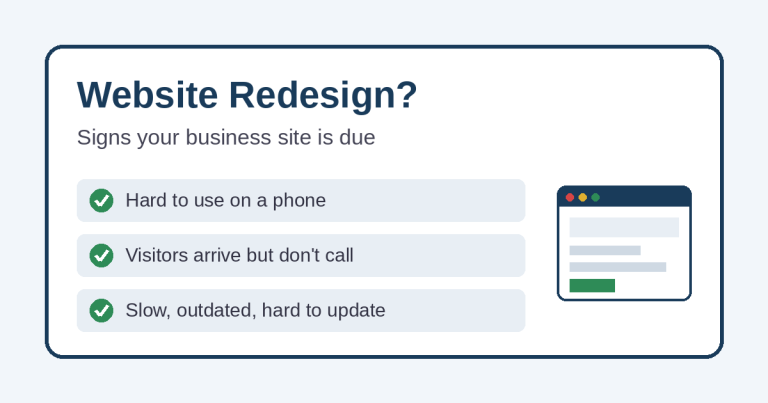
If your current site is showing its age, our post on signs your website needs a redesign can help you decide whether it’s time. When it is, Simplified Internet Design handles the parts that protect your search traffic as part of the job: page inventory, redirect map, content carry-over, launch checks and follow-up in Search Console. Learn more about our website design services, or contact us to talk through a redesign for your St. Clair County or Southeast Michigan business.