
Why Am I Paying for Google Ads Without Getting Leads?
You set up Google Ads, the money leaves your account every month, and the phone barely rings. That’s a frustrating spot for any owner. If you’re paying for Google Ads without leads to show for it, the cause is rarely one big mistake. More often, it’s a handful of small settings and website problems stacked on top of each other.
This guide walks through those problems in the order we’d check them. You don’t need to be an ads expert to follow along. You just need access to your Google Ads account and a few minutes on your own website.
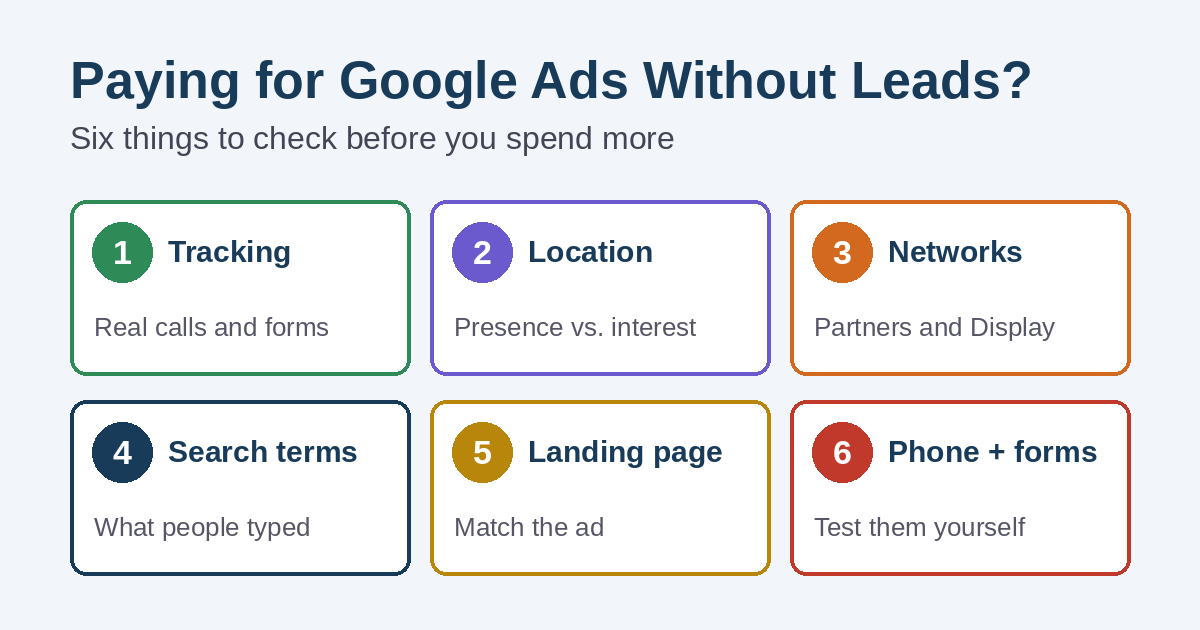
Why Google Ads without leads is rarely one problem
A lead has to survive several steps. First, your ad has to show to the right person. Next, that person has to click. Then your website has to make calling or filling out a form easy. Finally, someone at your business has to answer.
A break at any step looks the same from the outside: money spent, no leads. So instead of guessing, work through the steps one at a time.
Is Google counting leads at all?
Start with conversion tracking. A conversion is the action you decide is valuable, such as a phone call or a form submission. Google explains that you choose what counts as a conversion. Google Ads then uses that data to show which keywords and ads are working.
No tracking means no real answers
Without tracking, you only see clicks and cost. You can’t tell which keywords brought calls and which brought nothing. Automated bidding also leans on conversion data. If Google has nothing to learn from, it can’t steer your budget toward the people who actually contact you.
Sometimes calls are coming in, but nobody can see which ones came from ads. That can look like Google Ads without leads when the real gap is measurement.
Tracking the wrong things
The opposite problem is just as common. Some accounts count page views, button clicks, or very short calls as conversions. The report looks great, yet nobody new is calling.
Here’s what to check:
- Phone calls: Google can track calls from your ads, calls to the number on your website, and taps on your number on a phone.
- Call length: website call tracking lets you set a minimum call length, so quick hang-ups don’t count as leads.
- Forms: a form conversion should fire after a real submission, not when someone simply opens the contact page.
- Primary vs. secondary: Google notes that marking conversion actions as primary or secondary correctly matters, because automated bidding relies on those signals.
Are your ads showing outside your service area?
Location targeting has an option many owners never open. By default, Google uses a setting called “Presence or Interest.” That means your ads can reach people in your area, people who are regularly there, and people who have shown interest in it.
For example, someone across the country researching your town could still see your ad. Google calls this default its recommended option. However, Google’s own advanced location options guide suggests “Presence” when you only want people in specific locations.
For a plumber, roofer, or landscaper who can only work locally, “Presence” is often worth testing. Keep in mind that Google says most campaigns see fewer impressions after switching. That’s expected. Fewer, closer people can still be the better trade.
Where else are your ads showing?
A Search campaign can show your ads in more places than Google Search. According to Google, search partners are included by default when you create a Search campaign. Google also notes that clicks from some partner sites may not always reflect highly targeted traffic.
There’s also a separate box to include the Google Display Network. When it’s checked, your Search campaign can also show ads on websites and apps, not just next to search results.
Neither setting is wrong for every business. Still, if leads are thin, open Campaign settings, then Networks, and look at what’s checked. Then compare results by network before you decide to keep them.
What did people actually search?
Your keywords and the searches that trigger your ads are not the same thing. Google says broad match is the default match type. It can show your ads on searches related to your keyword, including searches that don’t carry its direct meaning.
That’s why the search terms report matters. It lists the real searches that led to your ad showing. Sort it by cost and ask a simple question: would you pay for this search again? Google also recommends pairing broad match with Smart Bidding, which needs good conversion data. That brings you right back to the tracking step above.
Where negative keywords fit
When you find searches you don’t want, negative keywords are the tool for blocking them. We covered that in detail in what negative keywords are and how to use them, so we won’t repeat it here.
Where does the click land?
Many small-business campaigns send every click to the homepage. The homepage tries to talk to everyone, so it rarely answers the exact question in the ad. Someone searching for emergency furnace repair shouldn’t have to dig through a menu to find it.
Instead, send each ad group to the page that matches it. That might be a service page or a focused landing page. Google also counts landing page experience as part of Quality Score. It describes this as how relevant and useful your page is to people who click your ad.
A good destination page usually has a few things in common:
- A headline that matches what the ad promised
- A phone number that’s easy to tap on a phone
- A short form that asks only for what you need
- Clear signs you serve the person’s area
When Google Ads without leads is really a website problem
Sometimes the ads are doing their job. The website is where the lead gets lost. Before you change another ad setting, test your own site the way a customer would.
- Call the number on your site from a cell phone. Does it ring through, and does someone pick up or call back?
- Submit your contact form. Does the message actually land in your inbox, not spam?
- Load the page on your phone using cell data. Does it open quickly, or does it hang?
If any of those fail, fix them first. Our guide on why a website isn’t generating phone calls covers the common gaps. If pages load slowly, start with what to fix first on a slow WordPress website.
Is anyone answering when the ads run?
Google says campaigns are set to show ads “All day” by default. That’s fine if someone answers the phone at 9 p.m. on a Sunday. If not, those calls may roll to voicemail, and many callers simply try the next company.
Ad scheduling lets you pick the days and hours your ads appear. Match the schedule to the hours someone can actually answer, or make sure after-hours calls and forms get a quick reply the next morning.
Is the budget behind your Google Ads without leads spread too thin?
A thin budget is a quiet cause of Google Ads without leads. Split across many services and a wide area, each one may get only a few clicks a day. If a campaign shows “Limited by budget,” Google says your ads aren’t showing as often as they could for your current settings.
In that case, you have two options. You can raise the budget, or you can narrow the focus. For many small businesses, narrowing comes first. Put the money behind your most profitable services and the towns you most want to work in. Then expand once those are bringing in calls.
Google Ads without leads, or without good leads?
Some owners do get leads, just not the right ones. Price shoppers, job seekers, out-of-area callers, and sales pitches all count as “leads” in a basic report. It’s a different problem from Google Ads without leads, but it can feel just as expensive.
So keep a simple log for a few weeks. Note which calls and forms turned into real estimates or jobs. That record tells you far more than the conversion column alone. Google Ads can also import offline conversions, which lets you feed real sales results back into the account later on.
How long should you give a campaign?
Patience matters, but only after the basics are fixed. Google says Smart Bidding strategies need a standard 7 to 14 day learning phase. Google also warns that frequent changes to budgets, targets, or conversion goals during that time reset the learning window.
In practice, that means fix tracking, location, networks, and the landing page first. Then make changes in batches instead of every day. Still seeing Google Ads without leads after the basics are solid? Then it’s time to rethink the keywords, the offer, or the service you’re advertising.
A fix-first checklist for Google Ads without leads
Work through these in order. Each one depends a little on the one before it.
- Confirm conversion tracking is on and counts real calls and real form submissions.
- Check that only meaningful actions are set as primary conversions.
- Review location targeting and decide between “Presence or Interest” and “Presence.”
- Open Networks and check whether search partners and the Display Network are included.
- Read the search terms report and add negative keywords for searches you don’t want.
- Send each ad group to a matching service page or landing page, not just the homepage.
- Test your phone number, contact form, and mobile page speed yourself.
- Set your ad schedule around the hours someone can answer.
- Focus the budget on your best services and areas if the campaign is limited by budget.
- Track which leads become jobs, then give changes time to settle before judging them.
It also helps to look at ad spend alongside your other marketing bills. Our website and marketing costs checkup can help you see the whole picture. Want to see which searches already bring free visitors to your site? Our plain-English guide to Google Search Console shows where to look.
Want a second set of eyes on your ads?
Simplified Internet Design helps small businesses in St. Clair County and Southeast Michigan set up and manage Google Ads, including conversion tracking, location settings, and search term cleanup. Learn more about our Google and Facebook advertising management. If the landing page is the weak spot, our website design services can help there too.
We can’t promise a set number of leads, and nobody honestly can. Still, if you’re tired of paying for Google Ads without leads, a clear review is a good place to start. What we can do is review your account and your website and tell you plainly what we’d fix first. Contact us to start that conversation.

