Website Traffic Dropped? How to Find the Cause and Fix It
You open your analytics, or a monthly report lands in your inbox, and the line that used to climb is pointing down. Fewer visitors, fewer form fills, maybe fewer calls. When your website traffic dropped and nobody changed anything on purpose, it’s hard to know where to start. The good news is that most drops leave clues. This guide walks through how to find the cause before you spend money trying to fix the wrong thing.
First, check that your website traffic dropped at all
Before you look for a cause, make sure the drop is real. A surprising number of “traffic drops” are really tracking problems.
Your analytics tool only counts visits on pages that load its tracking code. So if someone switched themes, rebuilt a page, added a cookie banner or removed a plugin, the code can quietly disappear. In that case, visitors are still arriving. You just aren’t counting them.
The quickest test is to compare two sources:
- Google Analytics shows visits from every source, but only where the tag is installed.
- Google Search Console shows clicks from Google Search, measured on Google’s side.
If Search Console clicks look steady while Analytics fell off a cliff, the tracking is the likely problem. If both dropped around the same date, the drop is probably real. Our plain-English guide to Google Search Console explains how to set it up and where to find the Performance report.
Look at a long enough time frame
Next, zoom out. A drop that looks alarming over 30 days can look normal over a year and a half.
Plenty of local businesses are seasonal. Searches for boat storage, pool openings, snow removal or furnace repair rise and fall with the weather. If your website traffic dropped in November, check whether it dropped last November too.
In Search Console, set the date range to the last 16 months. Then use the Compare tab to compare the last three months with the same period a year earlier. Google’s own guide to debugging drops in Google Search traffic recommends exactly this. It also suggests checking your top searches in Google Trends to see whether interest fell everywhere, not just for you.
Read the shape of the drop
The pattern on the chart tells you a lot. Ask three questions:
- Was it sudden or gradual? A cliff on one specific day usually points to something technical, like an outage, a launch or a setting change. A slow slide over weeks points more toward rankings, competition or changing demand.
- Is it the whole site or a few pages? In the Pages tab, sort by the clicks difference. One important page losing traffic is a very different problem from every page losing a little.
- Did impressions drop, or only clicks? If people still see you in Google but click less, the problem may be your page titles and descriptions, or other results looking more appealing. If impressions dropped too, Google is showing your pages less often.
Write down the date the drop started. That date is your best clue, because you can line it up against everything that happened to the site around that time.
Common reasons website traffic dropped
Once you know the shape and the start date, these are the usual causes to check.
The site was down or showing a warning
If your hosting had an outage, the domain lapsed, or the security certificate expired, visitors may have hit an error or a warning screen. Even a few days of that can show up as a dip. An expired certificate is especially sneaky, because the site still loads with a scary message in front of it. See why a website says “Not Secure” for how to check and fix that.
Website traffic dropped right after a redesign
This one is common. A new website launches, the page addresses change, and the old addresses that Google knew now lead nowhere. Google says it can take a few weeks for a medium-sized site to settle after a move, even when it’s done well. If it was done without redirects, traffic may not come back on its own. Our guide on how to redesign your website without losing Google traffic covers the redirect map and the post-launch checks.
Pages were blocked from Google by accident
Sometimes a site tells Google to stay away without anyone meaning to. A developer may leave a “noindex” setting on after building the site. In WordPress, there is also a checkbox under Settings, then Reading, labeled “Discourage search engines from indexing this site.” It’s useful on a test copy, but it should never be checked on your live website.
In Search Console, the Page indexing report shows which pages Google has dropped from its index and why. If that report shows a jump in excluded pages around your drop date, start there.
A Google ranking update
Google changes how it ranks results all the time, and it announces larger changes, such as core updates. You can check the dates on the Google Search Status Dashboard and see if one lines up with your drop.
An update doesn’t mean you did something wrong. Google notes that a small slip in position, say from second to fourth, can recover on its own, and it advises against radical changes to pages that are already doing well. A larger, lasting drop across many searches is different. In that case, Google suggests taking an honest look at whether your content is helpful and written for people. It also says plainly that there’s no guarantee any change will bring rankings back.
A security problem
If a website has been hacked, Google may show a warning to searchers before they reach it, and traffic can fall quickly. Hacked sites sometimes also fill up with spam pages you never created. Check the Security issues and Manual actions reports in Search Console. Then read our post on protecting your website from hackers for the basics of cleanup and prevention.
Someone else got better, or the search page changed
Sometimes nothing broke at all. A competitor may have published a better page, or Google may be showing more maps, ads and other features above the regular results for your key searches. Search the way your customers do, from a phone, and look at what appears above you now.
Don’t forget Google Maps and your Business Profile
For many local businesses, some calls come straight from the Google Business Profile, not the website. Those calls don’t always show up as website visits. So if your phone got quieter, check your Business Profile performance too. Look at calls, direction requests and website clicks over the same months.
If your listing has disappeared or slipped in the map results, our article on why a business isn’t showing up on Google Maps walks through the usual fixes.
A 30-minute checklist when your website traffic dropped
If you only have half an hour, work through this list in order:
- Load your homepage, contact page and top service page on your phone. Make sure they work and show no warnings.
- Compare Google Analytics with Search Console clicks for the same dates.
- Set Search Console to the last 16 months and look for the same dip last year.
- Write down the exact start date of the drop.
- List anything that changed near that date: new website, new host, plugin updates, new theme, domain renewal.
- Check the Page indexing, Security issues and Manual actions reports.
- Compare the date with the Google Search Status Dashboard.
- Check your Business Profile calls and website clicks for the same period.
By the end, you’ll usually know whether you’re dealing with tracking, a technical problem, a ranking change or normal seasonal demand.
What not to do while you’re figuring it out
When traffic falls, the urge to change everything at once is strong. However, a few reactions tend to make things worse:
- Don’t rewrite every page in a panic. If the cause is technical, rewriting won’t help, and you’ll lose track of what changed.
- Don’t delete pages to “clean up” without redirecting them. That can turn one problem into two.
- Don’t buy links or a quick SEO package that promises fast rankings. Google’s spam policies can make that backfire.
- Don’t assume it’s permanent. Seasonal dips and small position changes can recover without any action.
Make one change at a time, note the date, and give it a few weeks before judging the result.
How to catch the next drop sooner
The best time to find a problem is the week it starts, not three months later. A few habits help:
- Glance at Search Console once a month, and keep its email notifications turned on.
- Use uptime monitoring, so you hear about outages right away.
- Keep your domain and certificate on auto-renew with a current credit card.
- After any website change, test key pages and check that tracking still works.
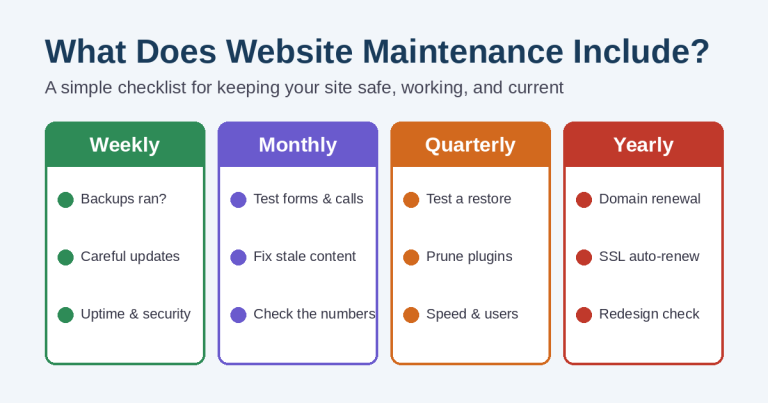
Most of this is part of routine care. Our website maintenance checklist lays out what to check weekly, monthly and yearly. For a look at simple monthly reporting that ties traffic to calls and form leads, see our Berlin Township page on tracking calls and leads.
Website traffic dropped and you can’t find the reason?
Some drops take ten minutes to solve. Others need someone who can read Search Console, check the server and compare the old site with the new one. Simplified Internet Design helps small businesses in St. Clair County, Southeast Michigan and Southwest Florida figure out what changed and fix it in plain English. We won’t promise a ranking. However, we will show you what we find, what we’d fix first, and why.
Take a look at our website design, SEO and hosting services, or contact us to set up a free conversation about your website.